Android APK · Free
Download & play tonight
lk89 APK version 2.9.20 — light, fast, full Vietnamese support. Top up with MoMo or ZaloPay in seconds inside the app.
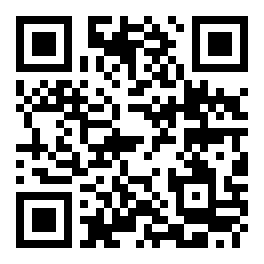
Scan the QR code with your phone camera to download
- SSL Security
- 18+
- 24/7 Support
- Android 8.0+
- MoMo · ZaloPay · VNPay
Version Info & System Requirements
Check your device before downloading to avoid install errors.
| Version | 2.9.20 |
|---|---|
| File size | 32 MB |
| Minimum Android | Android 8.0 (Oreo) or higher |
| Last updated | 21 November 2026 |
| Cost | Free |
| Languages supported | Vietnamese · English |
| Platform | Android (direct APK) |
What your phone needs
- Operating system: Android 8.0 or higher. If your phone is on Android 7 or lower, update it before installing.
- Free storage: At least 80 MB free to install and hold temporary data while you play.
- Connection: Wi-Fi or 4G/5G. A line of 2 Mbps or better keeps live casino games smooth.
- Unknown source permission: You must turn on "Allow from unknown sources" in security settings before running the APK file.
- iOS: Apple doesn't support APK. iPhone/iPad users should open Safari and add the site to the Home Screen using the steps below.
lk89 APK vs Playing in a Browser
This comparison helps you pick the way of playing that best fits your device and habits.
| Feature | lk89 APK app | Browser (Mobile) | Browser (Desktop) |
|---|---|---|---|
| Game loading speed | Faster | Average | Average |
| Push notifications (new offers) | Yes | No | No |
| Saves your login details | Automatic | Depends on browser | Depends on browser |
| Fingerprint / Face ID login | Supported | No | No |
| Playing on a weak connection | Better optimised | Depends on network | Depends on network |
| Top up via MoMo / ZaloPay | Hands off straight to the app | Yes | Yes |
| Full game catalogue | 5,800+ games | 5,800+ games | 5,800+ games |
| Automatic updates | Manual, via a new APK | Automatic | Automatic |
| Storage needed | 32 MB | None | None |
| iOS support (iPhone / iPad) | No (use a browser) | Safari, Chrome | N/A |
Don't have an account yet? Register with lk89 here before downloading the app, so you can log in as soon as the install finishes.
Installing the lk89 APK on Android, Step by Step
Follow this order to avoid the common "installer blocked" error.
-
1
Allow installs from unknown sources
Go to Settings → Security & Privacy → Unknown sources (on Android 8+, this is "Allow from this source" inside each individual app, for example Chrome or your file manager). Turn the switch on and confirm. Skip this step and Android will block the install with an error.
-
2
Download the APK file from the official site
Tap the "Download APK Now" button at the top of the page or in the download section above. The browser will ask you to confirm — tap "Download". The lk89.apk file (32 MB) lands in your Downloads folder. Only download from lk89.vu, never from outside links, so you get the right version.
-
3
Open the APK file to start installing
Pull down the notification shade and tap the lk89.apk you just downloaded. Or open the File Manager app → Downloads → lk89.apk. The install confirmation screen appears — tap "Install". It takes about 15 to 30 seconds depending on your device.
-
4
Open the app and log in
Once installed, tap "Open" right on the install screen or find the lk89 icon on your home screen. Already have an account? Enter your username and password to get straight in. New here? Tap "Register Now" inside the app — it takes about two minutes.
-
5
Deposit and claim your welcome bonus
Open the Deposit section in the app and pick MoMo, ZaloPay or VNPay. Deposit at least 150,000 ₫ to unlock the welcome bonus. The money lands in your account within 5 minutes. From there you can sit at a casino table or spin the slots right on your phone.

iOS users – add it to your home screen
- 1 Open Safari and go to lk89.vu
- 2 Tap the Share icon (the box with an arrow pointing up) on the Safari toolbar
- 3 Choose "Add to Home Screen" and tap Add
- 4 The lk89 icon shows up just like a regular app. Tap it to log in or create a new account
APK Security and Permissions
lk89 APK asks only for the permissions it needs to run — no unrelated data collection.
256-bit SSL encryption
Every deposit, withdrawal and account detail is encrypted end to end with 256-bit SSL. Nothing sent between the app and the servers can be read by anyone else, even on public Wi-Fi.
Fingerprint login
The app supports biometric login (fingerprint and face recognition) on compatible Android devices. Turn it on under Account Settings → Security after your first password login.
Permissions we never ask for
The lk89 APK never requests access to your contacts, background camera, microphone or GPS location. The only permissions are: temporary file storage (to cache games), internet access and push notifications.
Updates on your terms
Unlike an app store, you decide when to update to a new APK. The app will notify you when a new version is available — tap that notice to download the new APK file from lk89.vu and install it over the old version without losing any data.
What You Can Play in the lk89 App
Every game category on the website is available in the app, with no limits on game type or provider.

Over 4.000 slot machines
From KA Gaming and PG Soft to Pragmatic Play — all of them are here. Bets start at 1.000 ₫, and progressive jackpots update nonstop. RTP filters help you find a game faster on a small screen.

Live tables with real dealers
Baccarat, Blackjack, Roulette and Dragon Tiger, powered by Playtech and Pragmatic Play. Stream in HD right in the app, with Vietnamese commentary at many tables. Loads faster than a standard mobile website.
Aviator & other Crash games
Spribe Aviator, Crash and plenty of other multiplier titles. The app responds faster than a mobile browser because latency is lower. Read the lk89 Aviator guide to learn the tactics before you sit down at the table.
Tai Xiu & Xoc Dia
Classic Tai Xiu tables and Xoc Dia streamed live from the studio. The app's layout is built for portrait screens, with bet buttons larger than 44px so you tap accurately even on the move.
Live football betting
V-League, the Premier League, the Champions League and more than 30 other football competitions. In-play odds update minute by minute right in the app. Push notifications remind you when a match you care about is about to kick off.
Deposit & withdraw inside the app
Open MoMo or ZaloPay without leaving the app — payments are deeply integrated with Vietnam's e-wallet system. Deposits land within 5 minutes, withdrawals are processed in 39 minutes. Minimum deposit is 150.000 ₫.
Fixing Common APK Install Errors
If your install got interrupted, find your situation in the table below to sort it out right away.
| Error message / Symptom | Cause | How to fix it |
|---|---|---|
| "Installer blocked" or the install window never appears | The "Unknown sources" permission isn't enabled for the app you used to open the APK file (browser, Zalo, file manager…) | Go to Settings → Apps → [the app you're using] → Permissions → Install unknown apps, turn it on, then try again |
| Download fails or the file cuts off partway | Unstable connection, or not enough device storage while downloading (you need at least 80 MB free) | Switch to Wi-Fi, free up memory by deleting junk files, then tap the "Download APK Now" button again from the start — don't reuse a saved old link |
| "App not installed" after tapping Install | The phone is out of storage, or the APK file downloaded incompletely (file size under 32 MB) | Check the file size in your file manager — under 32 MB means the file is corrupted. Delete it and download again from lk89.vu. Make sure you have at least 80 MB free |
| Google Play Protect warns "Harmful app" | By default Play Protect flags every APK installed outside the Play Store, whether it's safe or not — this is normal Android behaviour | Tap "Install anyway" or "Install regardless". If you're still uneasy, scan the file with a third-party antivirus app before installing — it'll come back clean |
| The app installs but won't open, or it closes immediately | Android version older than 8.0, or RAM conflicts from too many apps running in the background | Close every app that's running, restart your phone, then open lk89 again. If the problem persists, check your Android version: Settings → About phone → Android version — you need 8.0 or higher |
Still stuck? Contact Live Chat 24/7 in the app or on the website — our Vietnamese-speaking support team will walk you through it step by step.
Player Questions About the lk89 APK
The questions players ask most, both before and after installing.
Is the lk89 APK safe, or does it contain a virus?
The APK released directly from lk89.vu is scanned by multiple antivirus engines before every update. The Play Protect warning is Android's default reaction to any APK installed outside the Play Store — it is not a sign of danger. If you want extra reassurance, download the file and scan it with Kaspersky or ESET before installing — it will come back clean. Never download the APK from any source other than lk89.vu, because a copy from elsewhere may have been tampered with.
Does the lk89 APK work on iPhone and iPad?
No. APK is an Android-only file format, and Apple's iOS cannot install APKs. iPhone and iPad users can still play the full experience: open Safari, go to lk89.vu and tap "Add to Home Screen". The lk89 icon then appears just like a normal app, giving you an app-like experience with no file to download.
What should I do when a new APK version is released?
The app shows a "New update available" notice when you open it. Tap the notice to go to the new APK download page on lk89.vu. Download the new APK, then install it over the old version — your account data and transaction history stay intact. There's no need to uninstall the old version first.
Are the app and web accounts the same?
Yes, completely. Your lk89 account is a single account — signing in through the app or a browser gives you the same balance, the same bet history and the same VIP level. You can be logged in on several devices at once, but you can't place bets in the same game from two sessions at the same time.
Can I deposit and withdraw directly in the app?
Yes. Open Wallet → Deposit in the app to choose MoMo, ZaloPay, VNPay or a bank transfer (Techcombank, Vietcombank, MB Bank, VietinBank). The minimum deposit is 150,000 ₫ and the money lands in your account within 5 minutes. Minimum withdrawal is 120,000 ₫, processed within 39 minutes. The daily withdrawal limit is up to 110,000,000 ₫.
Does the app run reliably on 4G?
Yes. The app is optimised for Vietnam's mobile networks, including 4G on Viettel, Vinaphone and Mobifone. Slot games and sports betting need only 2 Mbps. Live casino is the exception — it needs around 5 Mbps for smooth HD streaming. If your connection drops below that, the app lowers video quality automatically instead of disconnecting you.
Does uninstalling the APK affect my account or balance?
No. Your account and balance live on lk89's servers, not on your device. Uninstalling only removes the app file from your phone. Download the APK again and sign in, and everything is exactly as you left it. If you've forgotten your password, use the "Forgot password" option on the login screen.
The lk89 APK is for people aged 18 and over only. Gambling is entertainment, not a way to make a living. Set a weekly deposit limit under Settings → Play limits to keep your habits in check. If you need support, reach out via Live Chat 24/7.
Already have an account? Log in to lk89 and start playing as soon as the install finishes.